Luminary Locomotion Controls
Climbing, gliding, and swimming across the open zone—movement inputs for solo and three-player co-op exploration.
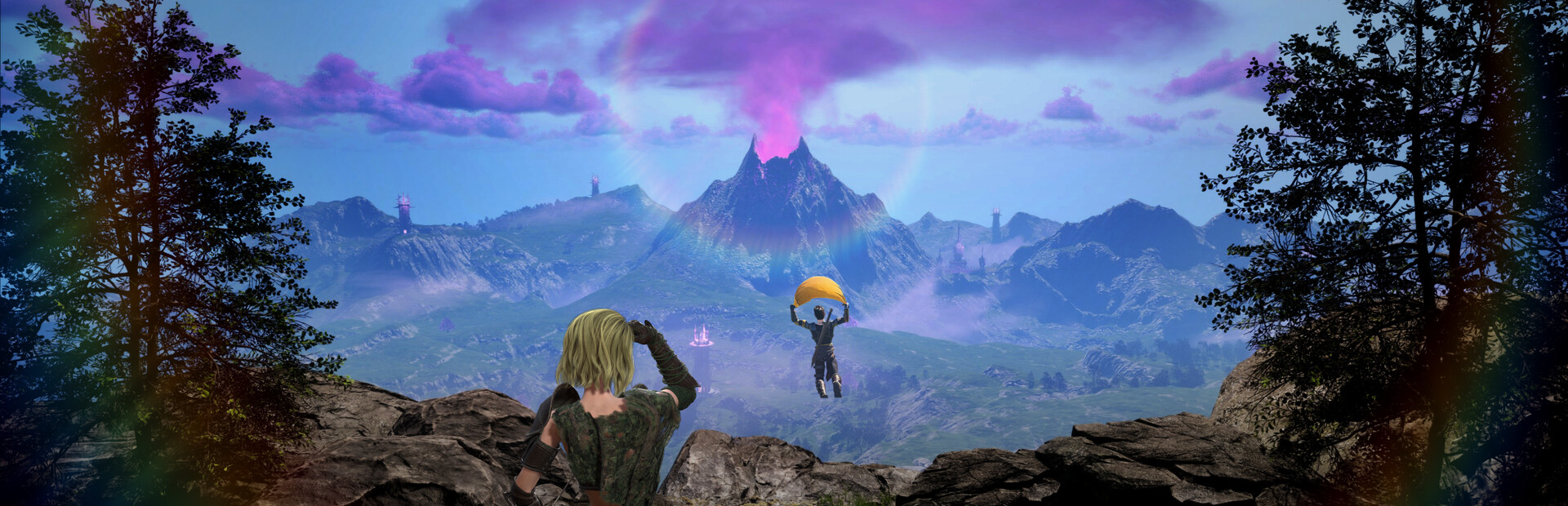
Locomotion separates Luminary from corridor ARPGs. Refractive Entertainment built an open-zone action RPG where you climb hand-crafted cliffs, glide from heights, and swim through corrupted waterways while pushing back darkness with light. Early Access on August 11, 2026 ships with roughly half of a planned two-kilometer-square map and multiple traversal modes—not fast travel spam. This guide explains how movement inputs work on PC and controller so exploration stays fluid in solo play and three-player drop-in co-op.
Movement binds share keys with combat on every platform; the difference is context. Approaching a climbable ledge swaps your interact prompt to climb, while open air above drop zones enables glider deployment. Mastering context switches prevents wasted stamina and keeps co-op parties from waiting while you fumble prompts.
On-foot movement and stamina
Basic locomotion uses WASD on keyboard or left stick on controller and Steam Deck. Sprint or stamina-enhanced running extends cross-field travel between camps and town upgrades. Manage stamina before entering tower assaults—you need burst movement for dodge chains when combat starts mid-route.
Camera aim matters on foot when scouting climb paths above corrupted forests. Mouse players rotate quickly; controller users should reset camera pitch after long runs. Pair foot travel with keyboard and mouse controls or controller controls for binding specifics.
Climbing ledges and vertical exploration
Climbing activates near marked ledges, rock faces, and tower scaffolding. Move toward the surface and press interact or forward depending on prompt design in your build. Climbing consumes stamina or time in some segments—release to rest on wide ledges before continuing. Demo updates added sword collision feedback on landscape; climbing routes sometimes hide ore nodes or camp back entrances.
In co-op, players climb independently without shared rope physics in Early Access—communicate who scouts upper archer nests before the party commits. Drop-in friends appearing mid-climb should catch up via alternate routes documented on the map rather than desyncing party progress. Review how co-op works for tether expectations each patch.
Gliding from heights
Gliding deploys from air after jumps or launch points when you have glider access. Control pitch with movement input and camera to extend distance across gaps between mesas and corrupted rivers. Gliding suits scouting tower weak points before melee build tanks engage at the gate.
Mis-timed glider deployment drops you into swim zones or fall damage pockets—test height thresholds in safe areas. Bow players can enter aim mode after landing for quick picks; magic glove users may chain spells on descent if future patches allow—verify release notes during Early Access.
Swimming and water traversal
Swimming moves through rivers, lakes, and flooded camp outskirts where corruption twisted geography. Horizontal swim uses movement input; surface vs dive prompts depend on zone design. Stamina may drain faster in water—exit on marked banks before long co-op flanks fail.
Swimming connects shortcuts between landmarks on the partial Early Access map. Back-half map expansion promises more verticality; locomotion skills learned now transfer when Refractive unlocks later zones. Steam Deck players should lower graphics slightly before long swims to keep frame time stable—see Steam Deck controls.
Co-op traversal etiquette
Shared progression saves character power, not synchronized position. Friends can climb while you swim around a camp wall, then reunite for the assault. Roles from roles and party tips suggest scouts glide ahead while melee collects ground aggro—voice callouts beat silent separation.
If a player disconnects during gliding, drop-in rules from shared progression preserve loot and quest state; locomotion only determines how fast they rejoin physically. Host migration behavior may evolve in Early Access—read patch notes when joining public sessions.
Binding and practice recommendations
Keep interact, jump, dodge, and sprint on distinct keys or buttons to avoid context errors at cliff edges. Remap after testing defaults in the demo. Practice a loop: sprint, climb, glide, land, dodge into melee, swap to bow—mirrors real camp approaches.
Cross-link combat depth in weapons overview once locomotion feels automatic. Return to the controls hub for platform-specific input pages.
Frequently Asked Questions
Quick answers to the most common Luminary questions.
Does Luminary have climbing, gliding, and swimming at launch?
Yes. Early Access advertises multiple traversal modes across the open zone. This page and the official locomotion video cover inputs; see [controls hub](/controls/) for platform bindings.
Do co-op players share glider unlocks?
Character progression is shared across solo and co-op, but each player executes locomotion locally. Confirm unlock state in [shared progression](/coop/shared-progression/).
Which input device is best for traversal?
All supported devices work. Mouse camera helps scouting climbs; controller and Steam Deck feel natural for stick movement—compare [controller](/controls/controller/) and [Steam Deck](/controls/steam-deck/) pages.
Can I skip traversal with fast travel?
Early Access emphasizes on-foot and multimodal travel across the open zone. Town upgrades may expand shortcuts over time—locomotion remains core to camp and tower routes.
Where does traversal meet combat?
Camps and towers often sit on vertical terrain. Use locomotion to approach, then weapon swap in combat per [weapon tier list](/builds/weapon-tier-list/) and party roles in [roles and party tips](/coop/roles-party-tips/).