About the Luminary Wiki
Unofficial fan resource for Refractive Entertainment's OpenZone ARPG-lite — every hub linked from one index.
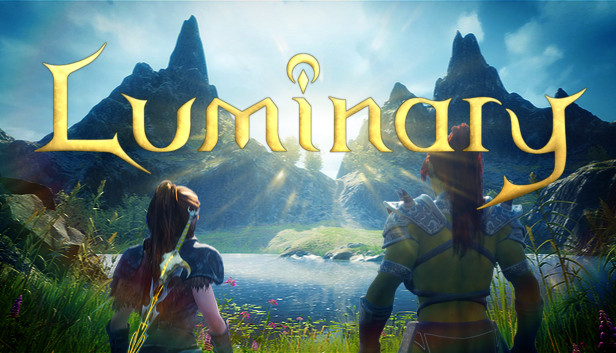
Welcome to luminary.wiki — an unofficial fan-made guide site for Luminary, the OpenZone ARPG-lite from Refractive Entertainment live on Steam Early Access since August 11, 2026 at $19.99. This page indexes every major hub so you can jump to mechanics, hardware reviews, town economy, map geography, or browser tools without hunting the navigation bar. We are not affiliated with Refractive Entertainment; for official purchase and patch notes, use the Steam store page and official Discord.
Luminary supports solo play and three-player online drop-in/drop-out co-op with shared progression, real-time weapon swap combat across Sword and Shield, Bow, and Magic Glove, hub town vendors, mining and fishing gathering, Tower liberation, Life Tree rescue, camp destruction, boss encounters, and Tier difficulty after the campaign end boss. Live Early Access ships roughly half of the planned two-kilometer-square map with ongoing updates toward 1.0.
Guides — learn the core loop
The Guides Hub is the default starting point for new players. It links walkthroughs including Getting Started, How to Play Luminary, Combat Basics, Boss Fights, Liberate Towers, Level Up and Town Vendors, and Hall of Heroes and Endgame. Read Guides when you need step-by-step mechanics and session flow rather than hardware buying advice.
Guides overlap conceptually with Town and Map hubs but stay quest- and combat-oriented. Town and Map pages go deeper on economy and geography without replacing Liberate Towers combat phases.
Controls — input and traversal
The Controls Hub documents keyboard and mouse, controller, Steam Deck, and locomotion bindings for climbing, gliding, and swimming. Start here before long exploration sessions or co-op nights where friends use mixed input devices. Controls content pairs with Builds Hub when optimizing swap keys for melee, ranged, or magic focus.
Builds — weapons and proficiency
The Builds Hub covers Weapons Overview, Proficiency, Weapon Tier List, and specialized Melee Build, Ranged Build, and Magic Build pages. Use Builds when investing proficiency time or planning party composition — not when checking GPU requirements.
Co-op — online three-player play
The Co-op Hub explains How Co-op Works, Shared Progression, and Roles and Party Tips. Couch co-op is planned later; live Early Access ships online co-op only. Co-op guides assume you already understand town and map objectives from other hubs.
Town — vendors and gathering
The Town Hub expands hub layout, Vendors and Crafting, Mining, and Fishing with animal catching notes. Town is where ore, fish, and loot become power through Blacksmith, Armorer, Arcanist, and Chef services. Visit Town hubs when economic bottlenecks block map progress.
Map — OpenZone geography
The Map Hub covers World Overview, World Corruption, Towers and Life Trees, Camps and Treasures, and Exploration Secrets. Map pages emphasize landmark structure, corruption pressure, camp order, and exploration pacing across the live half map. Pair Map content with Guides Liberate Towers and Boss Fights for interior combat detail.
Review — demo, launch, specs, roadmap
The Review Hub hosts Early Access Launch for post-launch buying context, Demo Review for Very Positive demo sentiment, System Requirements for minimum i7-8700K and GTX 1080 6 GB versus recommended Ryzen 9 3900X and RTX 2080 8 GB tiers, and Early Access Roadmap for update expectations. Review hub answers “should I buy” and “will my PC run it” — not “how do I dodge this boss.”
Tools — checklist, build notes, performance
The Tools Hub introduces browser helpers: Launch Checklist with interactive checkboxes saved locally, Build Notes pad for drafting loadouts and vendor plans, and Performance Settings for tuning the live build. Tools do not sync to Steam cloud saves — they track personal prep on this wiki only.
How wiki content is maintained
Articles generate from JSON source files in maintainer workflows — players read finished pages here. English is the root locale; French, German, and Spanish ship as translated layers configured in site metadata. SEO titles and descriptions follow length budgets with monthly update stamps at build time.
Cross-page facts — Early Access launch date, co-op mode, platform — centralize in facts verification so Liberate Towers, Early Access Launch, and Co-op hubs stay aligned. When Refractive patches Luminary, wiki maintainers update JSON sources and regenerate pages rather than editing MDX by hand.
Suggested paths by player type
Brand-new, buying after launch
Co-op host joining friends
Map completion focused
Legal and community
Luminary and related marks belong to Refractive Entertainment LLC. This wiki is fan-made for education and community coordination. Report factual errors via Discord discussion threads; official bug reports belong on Steam.
Hall of Heroes signup ran pre-launch for legacy recognition — distinct from in-game Hall progression documented in endgame guides. Bookmark this index when new hubs or tools arrive during Early Access milestones.
Frequently Asked Questions
Quick answers to the most common Luminary questions.
Is luminary.wiki an official site?
No. This is an unofficial fan wiki. Purchase and official support live on Steam and Refractive's Discord.
Which hub should new players open first?
Start with Guides Hub for mechanics, Review Hub if you are still deciding to buy, and Tools Hub for session prep checklists.
What topics does this wiki cover?
Guides, controls, builds, co-op, town vendors, map geography, boss fights, launch review, system specs, roadmap, and browser tools.
Does the wiki support languages besides English?
English is root; French, German, and Spanish locales ship in site configuration with translated UI and content layers.
How do I suggest corrections?
Discuss with the community on official Discord. Game bugs should be reported through Steam rather than this wiki.